

Setting Best Time to Run Daydream in Android 5.0 Lollipop Devices

Application of daydreaming feature in Android devices depends upon the choice of users. Depending upon the user choice and purpose, the time of the daydream operation may be set. Normally, the mobile devices are not used during the charging and during the period, if the photos are run as the photo table or photo frame, the daydreaming during the charging is recommended. If the mobile device is to be used as clock, the sleep time is a preferred choice and so on. So, the time to daydream is a relative option.
Normally, 3 different options are available when you can daydream:
- While docked
- While charging
- Either (either docked or charging)
Video
You may select any choice, easily, but if you need some help, you may get it from instructions.
Instructions
Command Line: Settings – Home > Display – Settings > Daydream (Clock) – Display > Daydream Settings > When to Daydream: While docked / While charging / Either.
1: Tap icon of ‘Settings’ on the Home screen of your Android 5.0 Lollipop device to open up the ‘Settings’ screen. 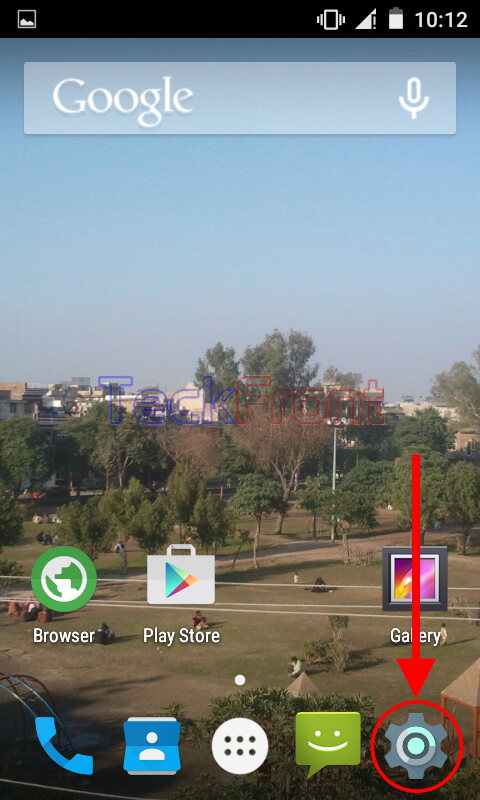 2: At the ‘Settings’ screen, scroll down to the ‘Device’ section and tap ‘Display’.
 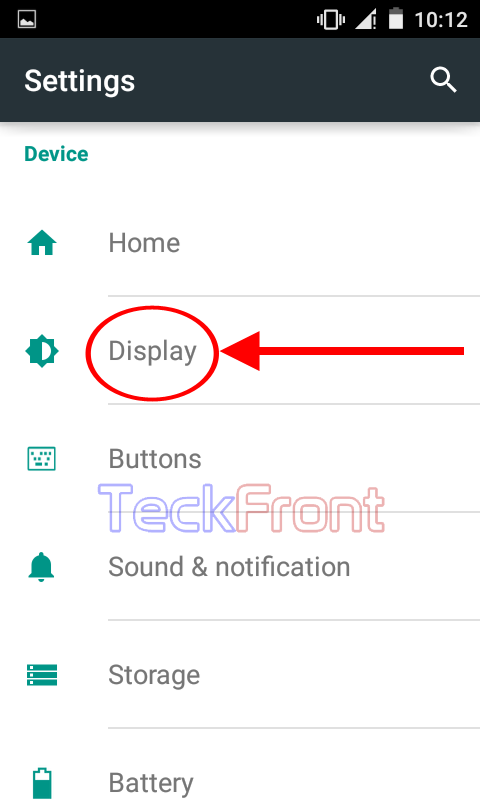 3: At the ‘Display’ screen, see the ‘Clock’ is the current status on the ‘Daydream’. Tap ‘Daydream’ to change the style.
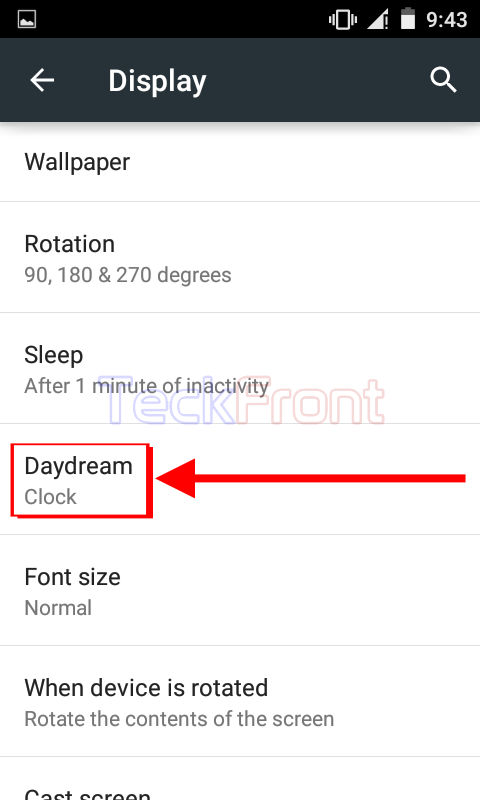 4: At the ‘Daydream’ screen, tap the settings button, placed at the top right corner of the ‘Daydream’ screen. It will open up a popup menu.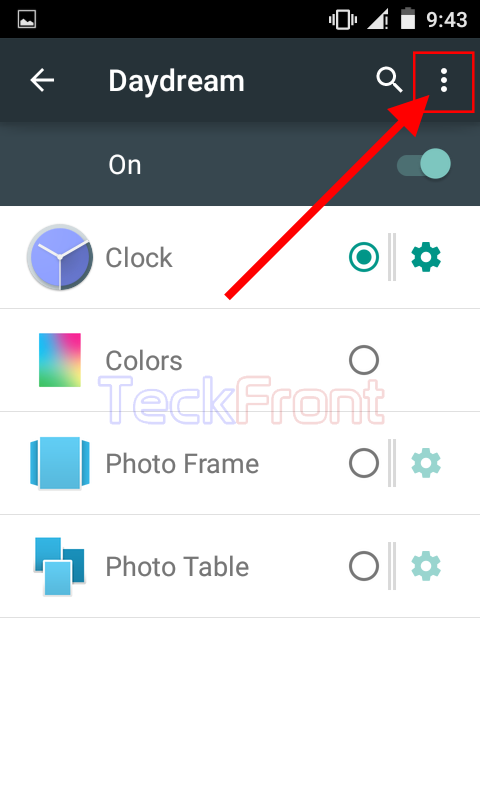
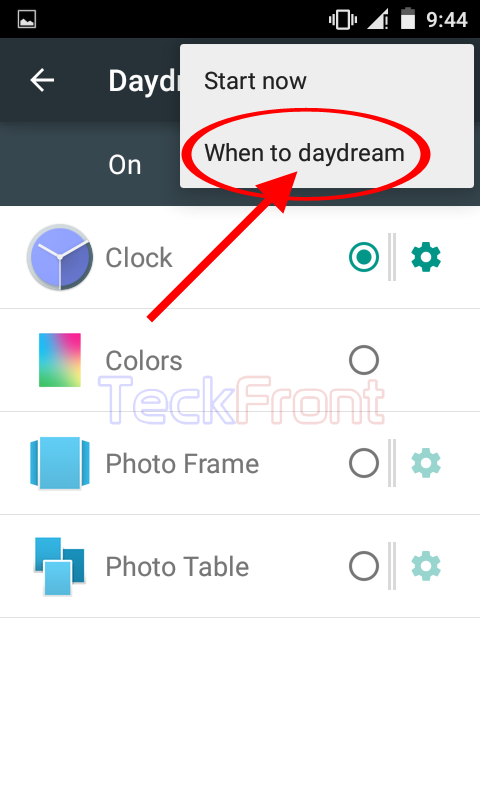 5: Tap ‘When to daydream’ in the popup menu. It will take you to a prompt with 3 options:
- While docked
- While charging
- Either
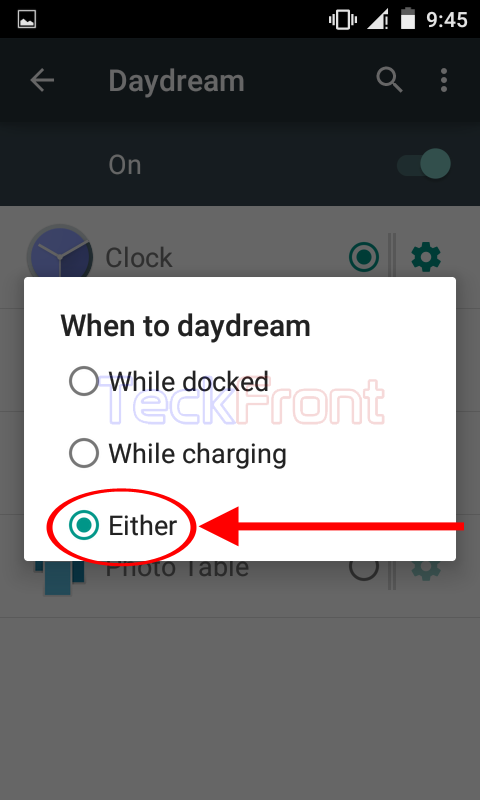 6: At the prompt, ‘When to daydream’, see ‘Either’ is enabled, currently. It means, currently, the device is set to daydream, either while it is docked or charging.
This is the most unwanted option as this will consume battery in both the situations. 7: If you want to change the current option, tap the desired option. I tapped ‘While docked’ but you may select and tap the option of your choice.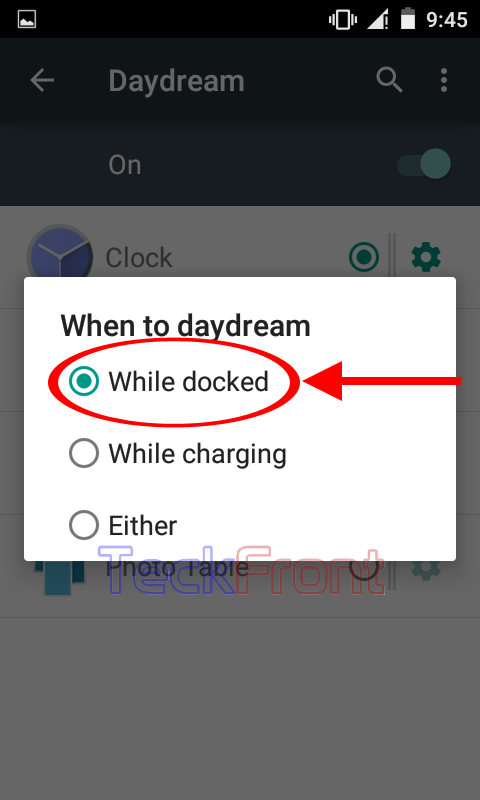 From now, my Android device will only daydream when it is docked, i.e. when it is left to sleep. You may select the option of your choice.
That’s all!