

If you have the Wi-Fi system for usage in your Android Phone, you will naturally want to use it instantly for using the system in your Android phone, quickly.
For the purpose, you will need to turn on / activate the Wi-Fi system, automatically, for usage instantly without any delay to get maximum advantage from it. It may be in your home or office. So, you will need to enable the ‘Turn on Wi-Fi Automatically, feature, added in your Android phones for your doing the needful.
This feature relies upon the local Wi-Fi facility to detect and connect the Wi-Fi with your phone, so that, you may save the battery and available data, quickly and efficiently.
For the purpose, follow the instructions, given below, along with the video, given above and the instructed images, below:
Step:1
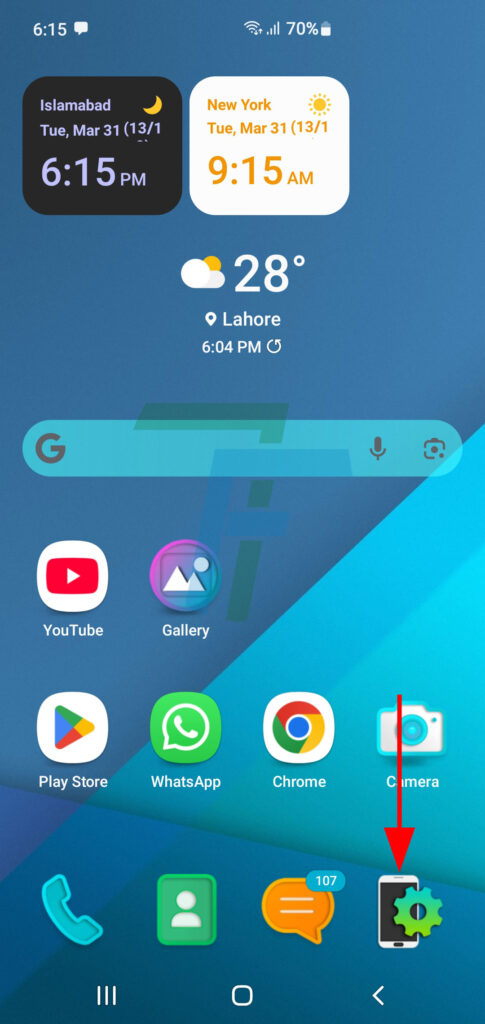
Press Settings screen icon at the Home screen. it will open up the Settings screen.
Step:2
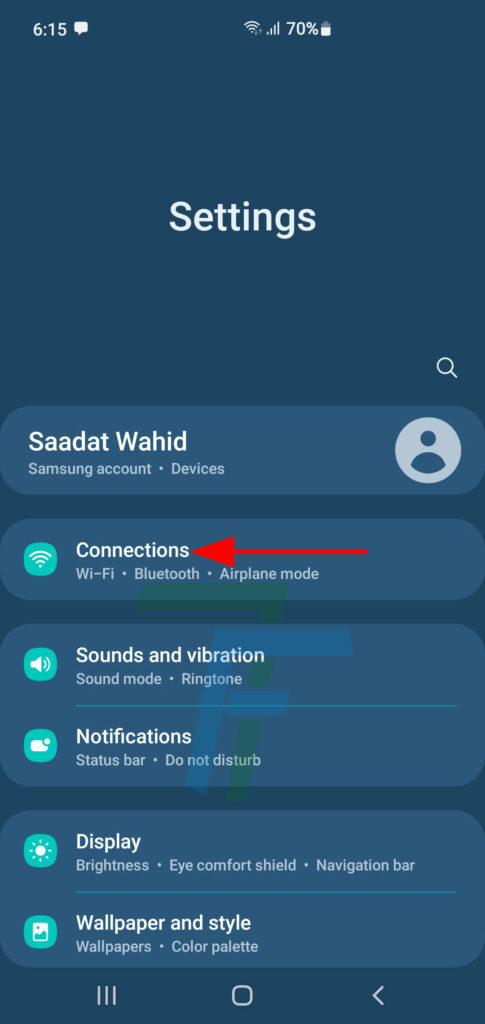
At the Settings Screen, press the Connections to open up the Connections screen.
Step: 3
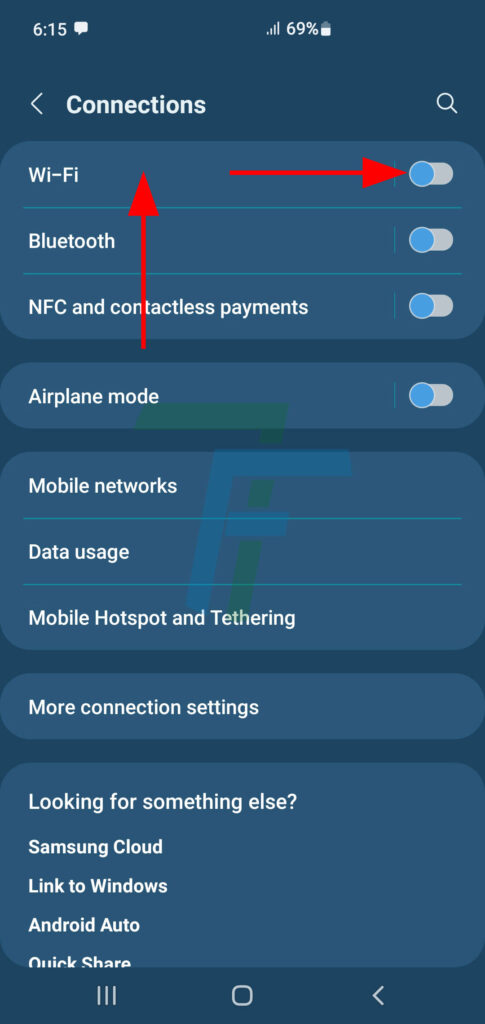
At the Connections screen, see; the Wi-Fi is turned off. Press anywhere on the tab of Wi-Fi to open up the Wi-Fi.
Step: 4
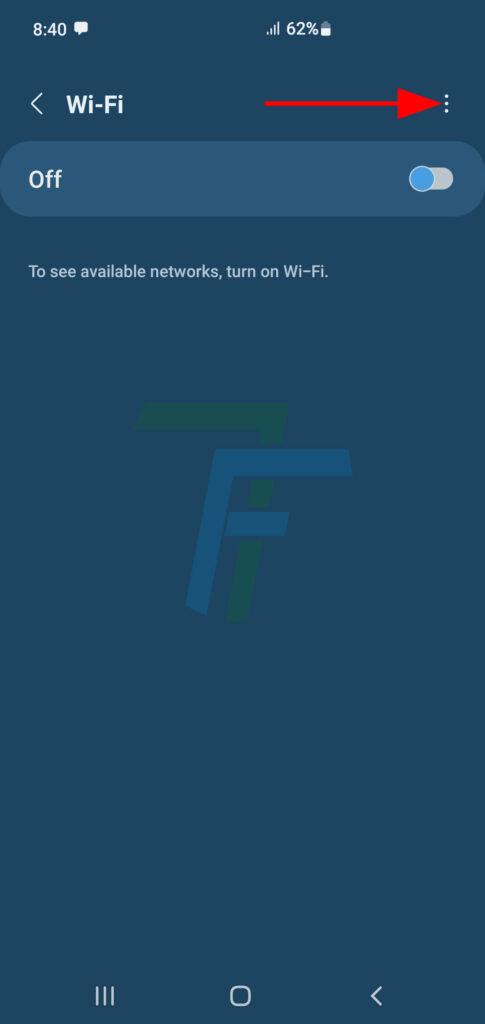
At the Wi-Fi screen, press the 3-digit settings button at the top right corner of the screen. It will open up a downward popup menu.
Step:5
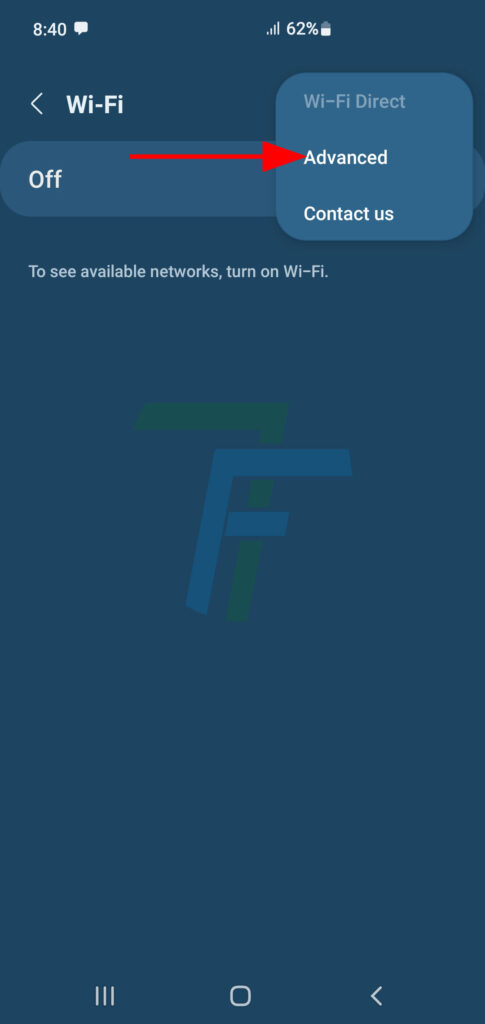
In the downward popup menu, press the Advanced.
Step:6
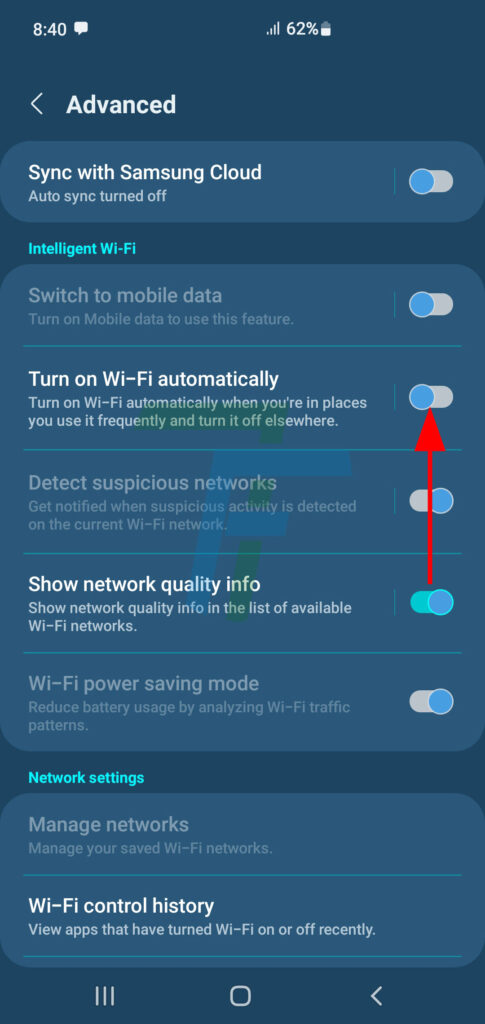
At the Advanced screen, see; the Turn on Wi-Fi Automatically feature is currently Turned off.
Step: 7
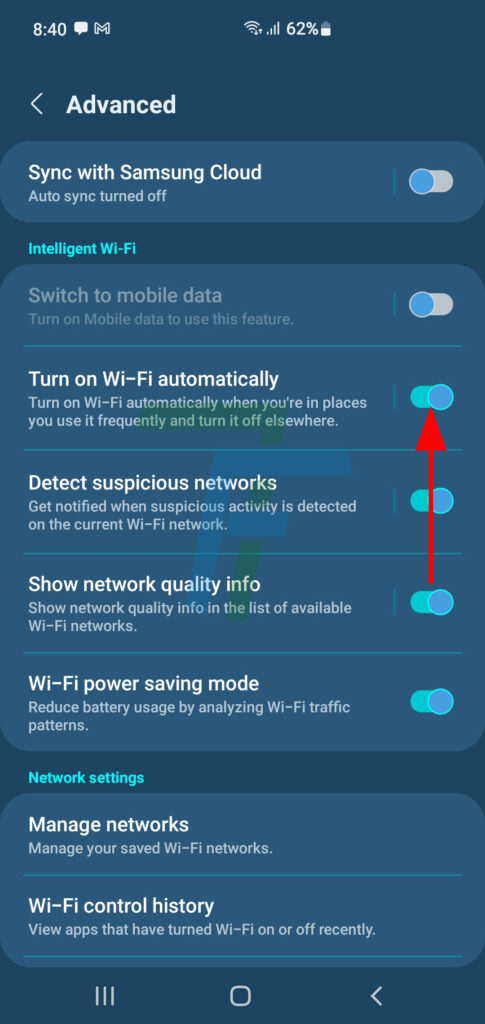
Press the Turn On Wi-Fi Automatically to turn on / activate it. It will take you automatically back to the Wi-Fi screen.
Step:8
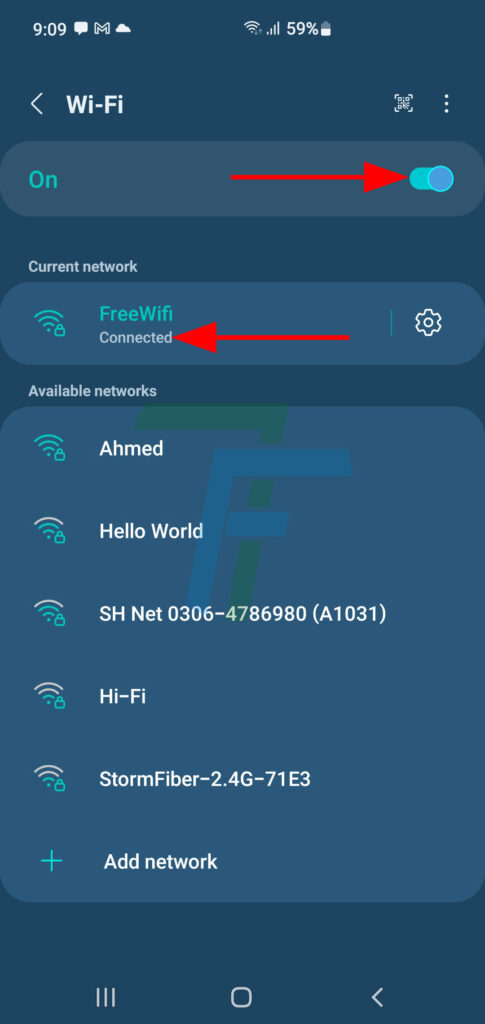
Back at the Wi-Fi screen, see; the Wi-Fi is turned on, on the Current Network as well. Now, whenever the Wi-Fi is disconnected due to any reason, it will be connected, automatically.
Stay Tuned!