


While using any mobile, major concern of the user is particularly upon the usage and availability of the mobile. This concern is due to the availability of the enough data to run the necessary apps, download and install the apps, required for the smooth and efficient working and functioning of the Android mobile.
Understanding the importance of the data usage information for the users of Android phone, it has been provided in Android OS in an easy manner to see and decide about the further usage of the data.
Just go through the Tutorial, given below, to discover the tips to see the data usage in Android Phones:
Tutorial
Step:1
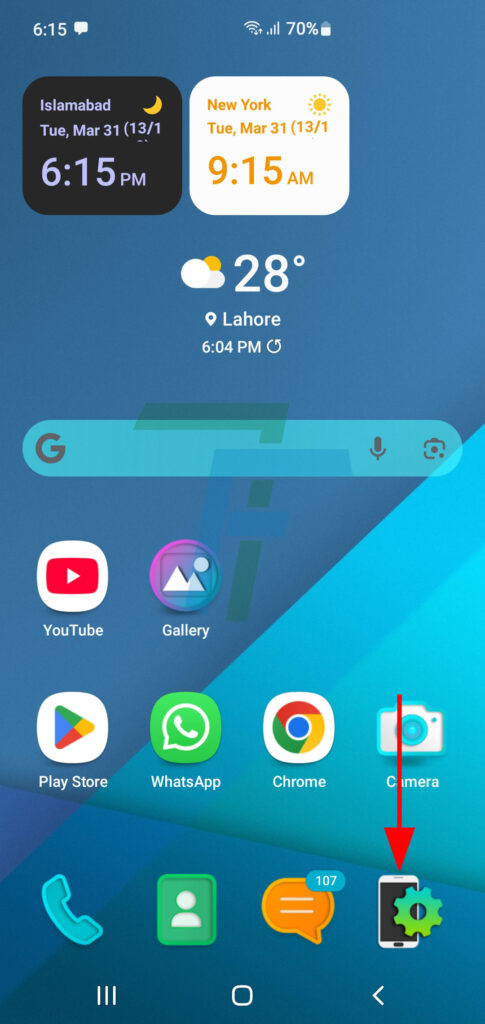
Press the Settings icon on the Home screen of your Android Phone. It will take you to the Settings screen.
Step:2
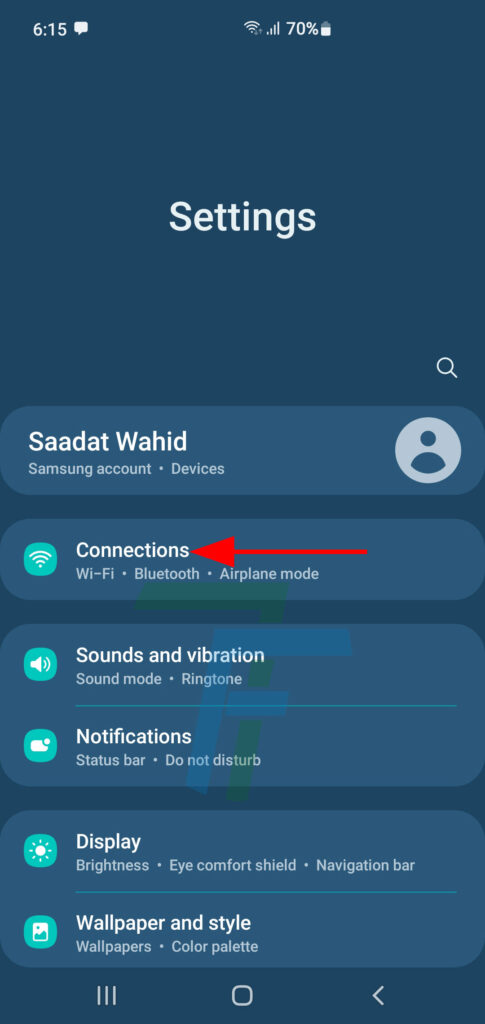
At the Settings screen, press the Connections to open up the Connections screen.
Step:3
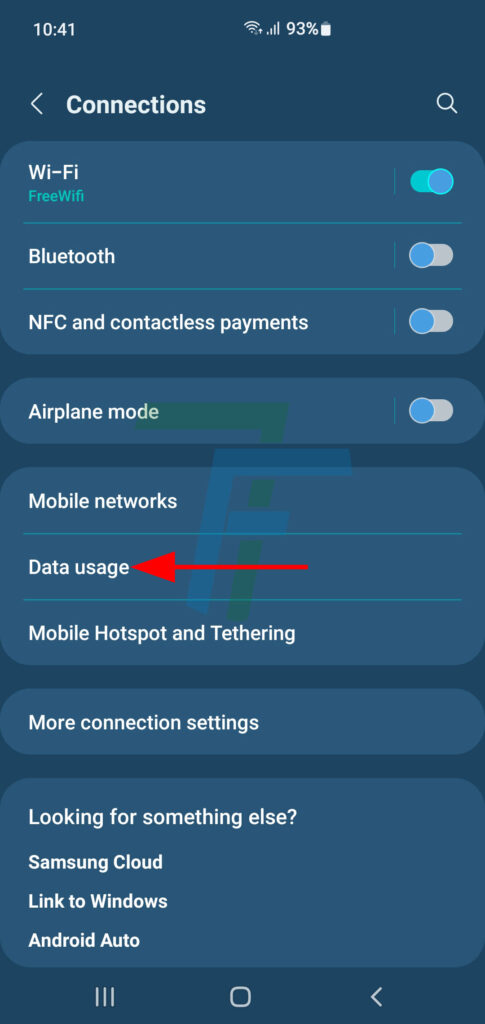
At the Connections screen, press the Data Usage Button.
Step:4
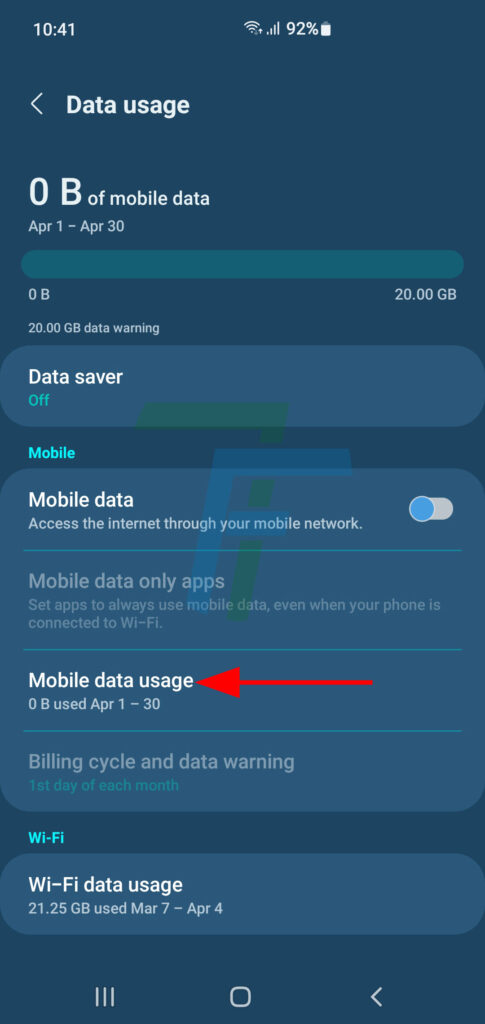
At the Data Usage screen, press the Mobile Data Usage.
Step:5
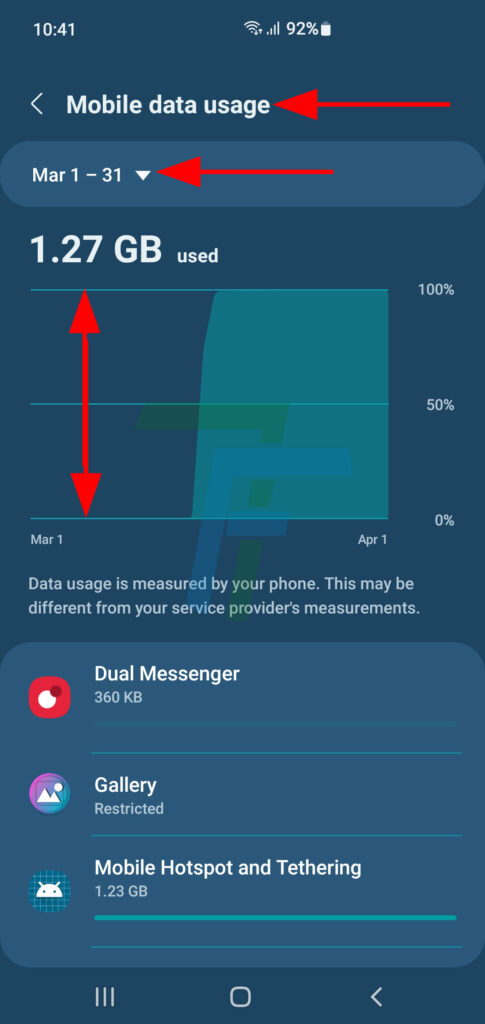
At the Mobile Data Usage Screen, set / choose the mobile data usage period.
See; the Mobile Data Usage, during the selected period.
Note:
This data is measured by your mobile phone while the data may be different from the service providing company.
Stay Tuned!