

For the Wi-Fi users to access Internet data in Android phones, the Wi-Fi is like the life line. Before start of any usage of Wi-Fi for any purpose, every user of the Android phone is anxious to know the level of data available and data used. To know the level of Wi-Fi data before the start of using the Android phones and OS, is just like essential.
Understanding the importance of the used Wi-Fi data in Android OS, Android OS has made it just few steps process to know the level of the current and past periods’ Wi-Fi usage.
Follow the instruction in the Tutorial, placed below, to know the level of Wi-Fi data usage in your Android phone:
Tutorial
Step:1
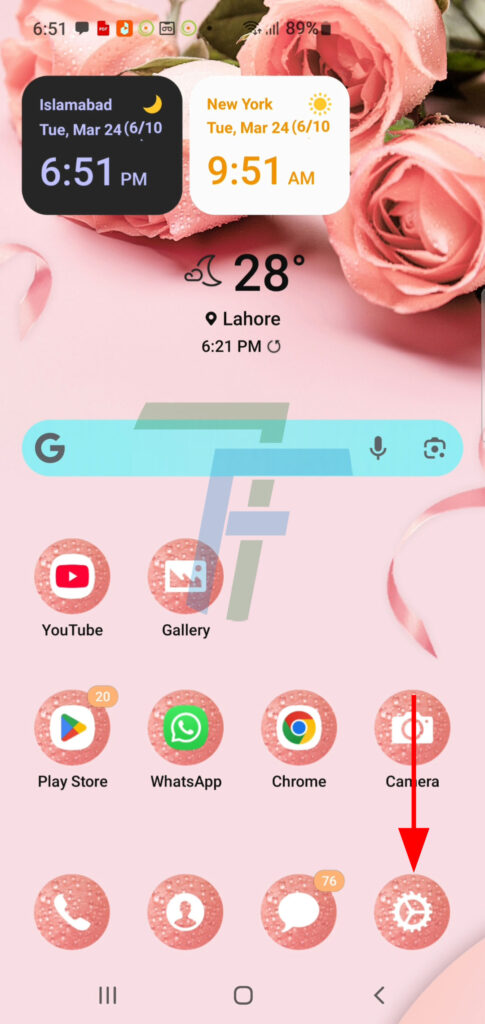
Press Settings icon at the Home screen of your Android Phone. It will open up the Settings screen.
Step:2
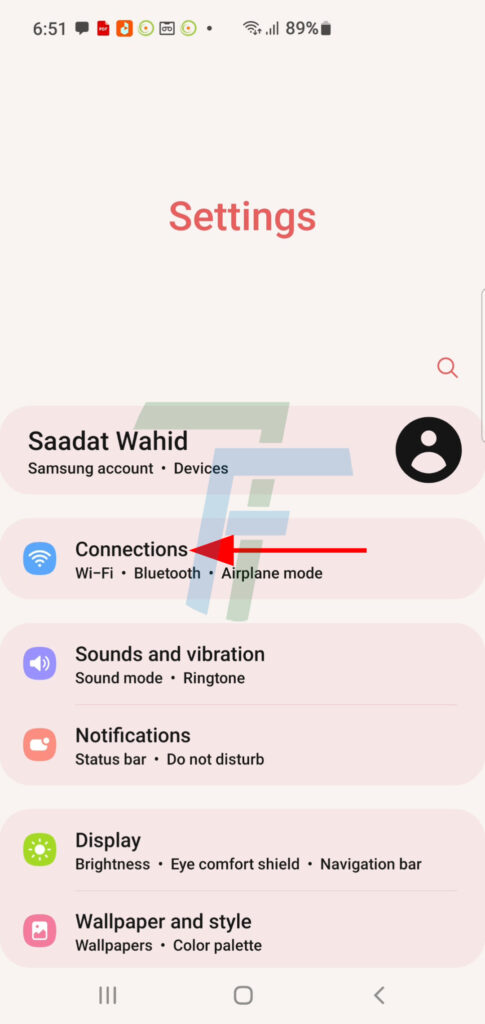
At the Settings screen, press the Connections.
Step:3
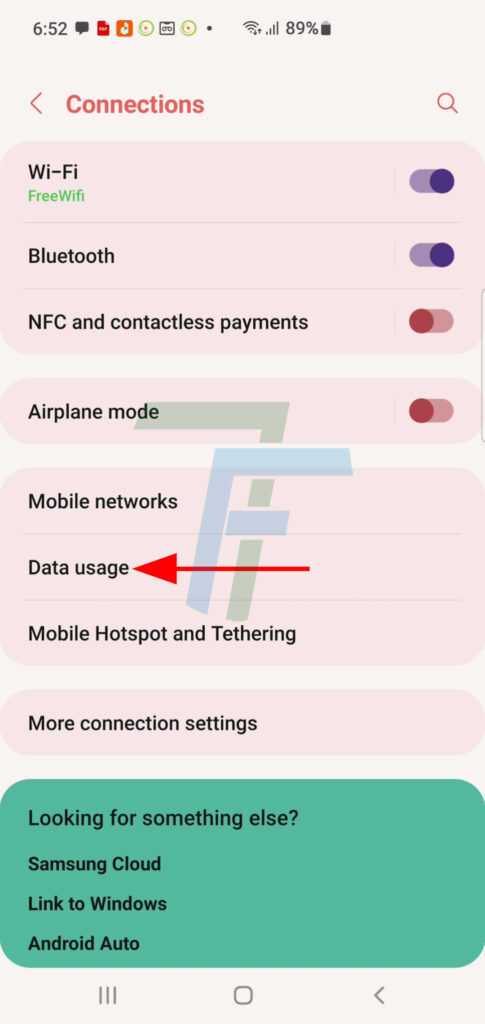
At the Connections screen, press Data Usage.
Step:4
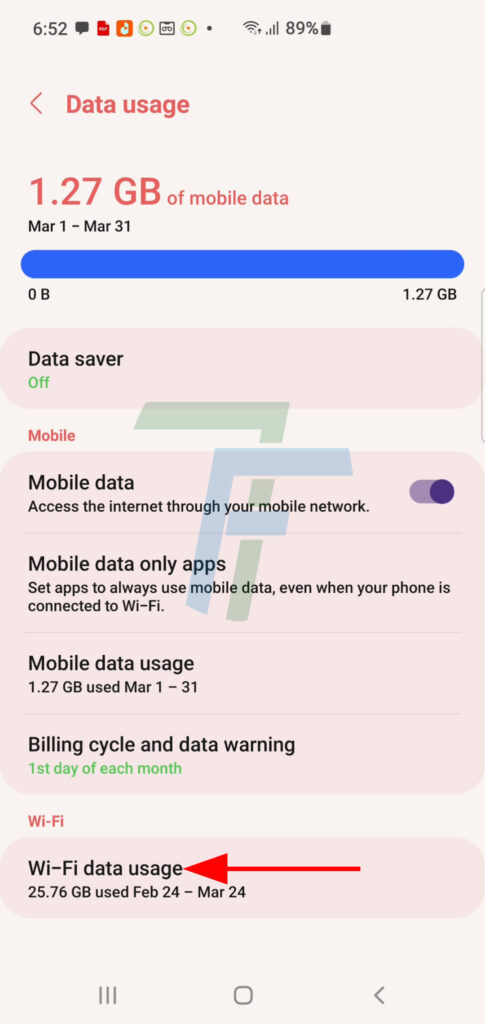
At Data Usage, press the Wi-Fi Data Usage.
Step:5
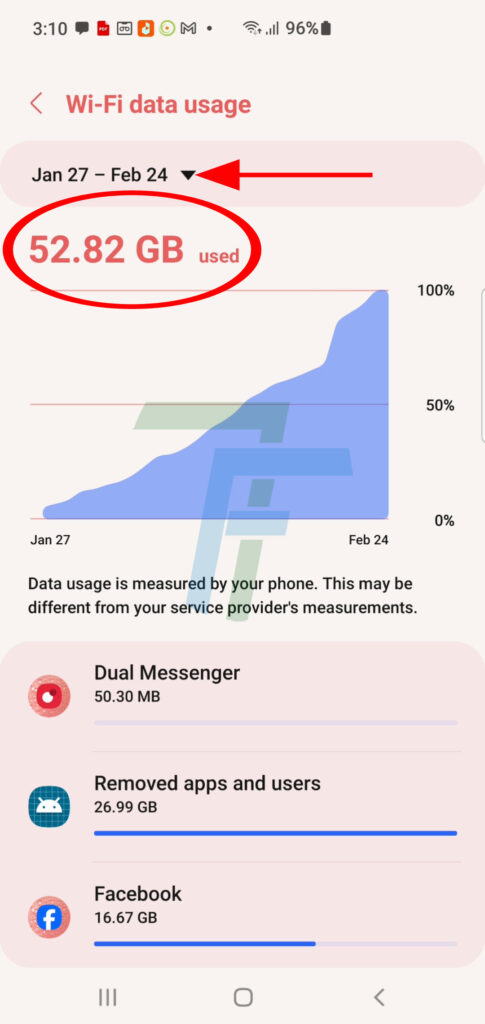
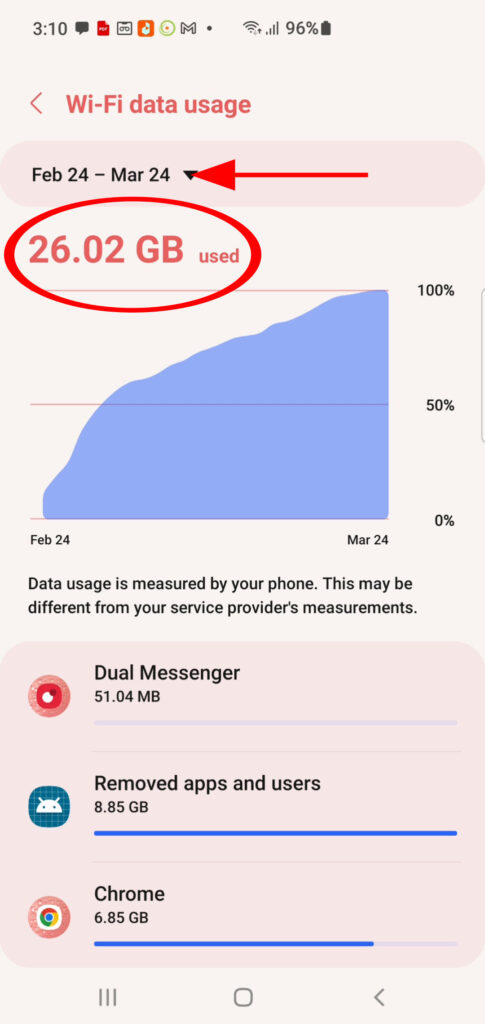
At the Wi-Fi Data Usage screen, see the current Wi-Fi usage is displayed.
Step:6
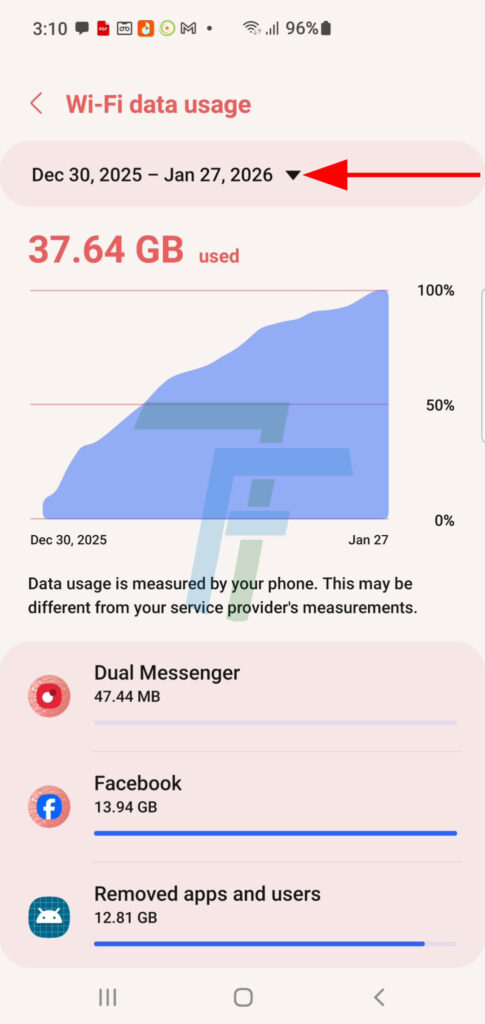
To see the previous periods data usage, press the period displaying drop down menu, choose and press the desired period to see the Wi-Fi usage during this period.
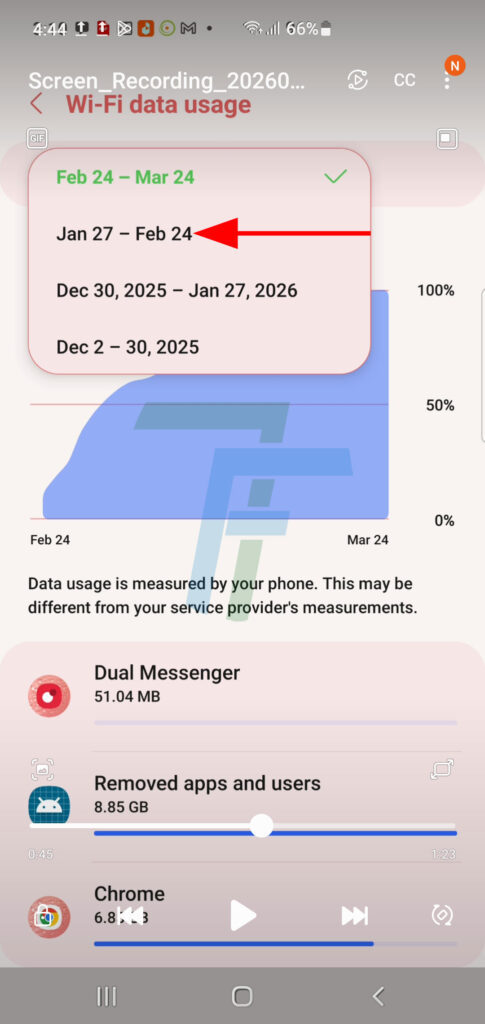
In the last 2 images, see the Wi-Fi data usage in 2 different periods.