

Seamless Transitions Between Wi-Fi and Cellular Networks
Staying Connected Without Interruptions
One of the most practical connectivity improvements introduced with iOS 27 is more seamless transitions between Wi-Fi and cellular networks. While network switching has existed on smartphones for years, Apple has enhanced the experience to make connectivity faster, smarter, and nearly invisible to users.
The result is fewer dropped calls, smoother video streaming, uninterrupted video meetings, and a more reliable internet experience when moving between different network environments.



Understanding Network Switching
Throughout the day, iPhone users constantly move between Wi-Fi and cellular coverage.
For example:
- Leaving home and switching from Wi-Fi to 5G.
- Walking into an office and connecting to a secure Wi-Fi network.
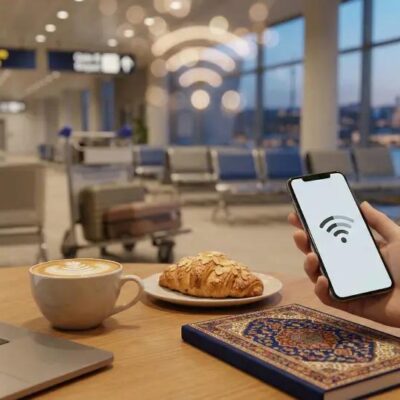
- Moving through airports, hotels, and public spaces.
- Driving through areas with varying network strength.
Traditionally, these transitions could sometimes cause brief interruptions, slower speeds, or delays while the device determined the best available connection.
With iOS 27, Apple has refined this process to make transitions much smoother.
How the Feature Works?
The system continuously evaluates:
- Wi-Fi signal strength
- Cellular network quality
- Data speed
- Connection reliability
- Network congestion
- Application requirements
When the iPhone detects that a Wi-Fi connection is becoming weak or unstable, it can proactively prepare a transition to cellular data before the connection becomes unusable.
Similarly, when a strong and trusted Wi-Fi network becomes available, the device can switch efficiently without disrupting ongoing activities.
Benefits for Everyday Users
1. Improved Video Calls
Video meetings on FaceTime or other conferencing apps remain more stable while moving between locations.
2. Better Streaming
Movies, TV shows, and live sports streams experience fewer buffering interruptions during network changes.
3. Faster Downloads
Large downloads can continue smoothly without requiring users to manually reconnect.
4. Reliable Navigation
Map applications maintain real-time directions even when network conditions change rapidly.
5. Enhanced Cloud Services
File synchronization, photo backups, and cloud storage operations remain more consistent.
6. Real-World Example
Imagine you’re watching a live sports event on your iPhone while leaving your house.
As you walk away from your home Wi-Fi network, the signal gradually weakens. Instead of waiting for the connection to fail, iOS 27 intelligently prepares the cellular connection in advance.
The video continues playing without noticeable buffering, and the transition happens automatically.
The same process occurs in reverse when arriving at a location with a strong trusted Wi-Fi network.
Advantages for Business Professionals
Professionals increasingly depend on mobile connectivity throughout the day.
More seamless network transitions help by:
- Reducing disruptions during virtual meetings.
- Improving cloud application performance.
- Maintaining communication reliability.
- Supporting remote and hybrid work environments.
For employees who travel frequently, uninterrupted connectivity can significantly improve productivity.
Privacy and Security
Apple continues to prioritize user privacy when managing network connections.
Key protections include:
- Secure authentication processes.
- Trusted network verification.
- Encrypted communications.
- User control over Wi-Fi preferences.
The system aims to improve connectivity without compromising security.
Why This Matters?
Modern smartphones are expected to provide continuous connectivity regardless of location.
As applications become more cloud-based and real-time communication becomes increasingly important, even small interruptions can affect the user experience.
By improving the way iPhones transition between Wi-Fi and cellular networks, Apple helps ensure that users stay connected without having to think about the technology working behind the scenes.


Concluding Remarks
Modern smartphones are expected to provide continuous connectivity regardless of location.
As applications become more cloud-based and real-time communication becomes increasingly important, even small interruptions can affect the user experience.
By improving the way iPhones transition between Wi-Fi and cellular networks, Apple helps ensure that users stay connected without having to think about the technology working behind the scenes.